The Transtore language & currency switcher helps display the right language and currency for international visitors. If the switcher is not showing or not working as expected, please check the following points.
1. Verify that App Embed is enabled
The most common reason the switcher doesn’t appear is that the Transtore app embed is turned off in your theme.
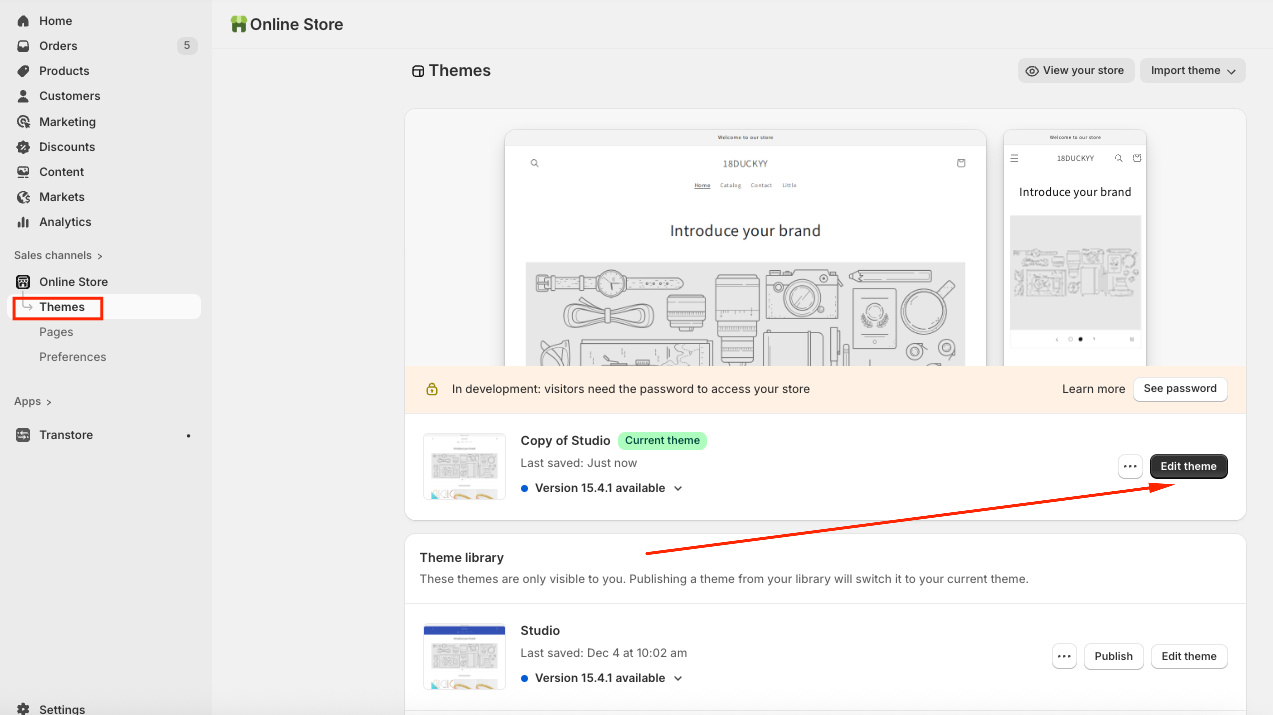
(1) From your Shopify admin, navigate to Online Store → Themes -> Click on Edit theme:
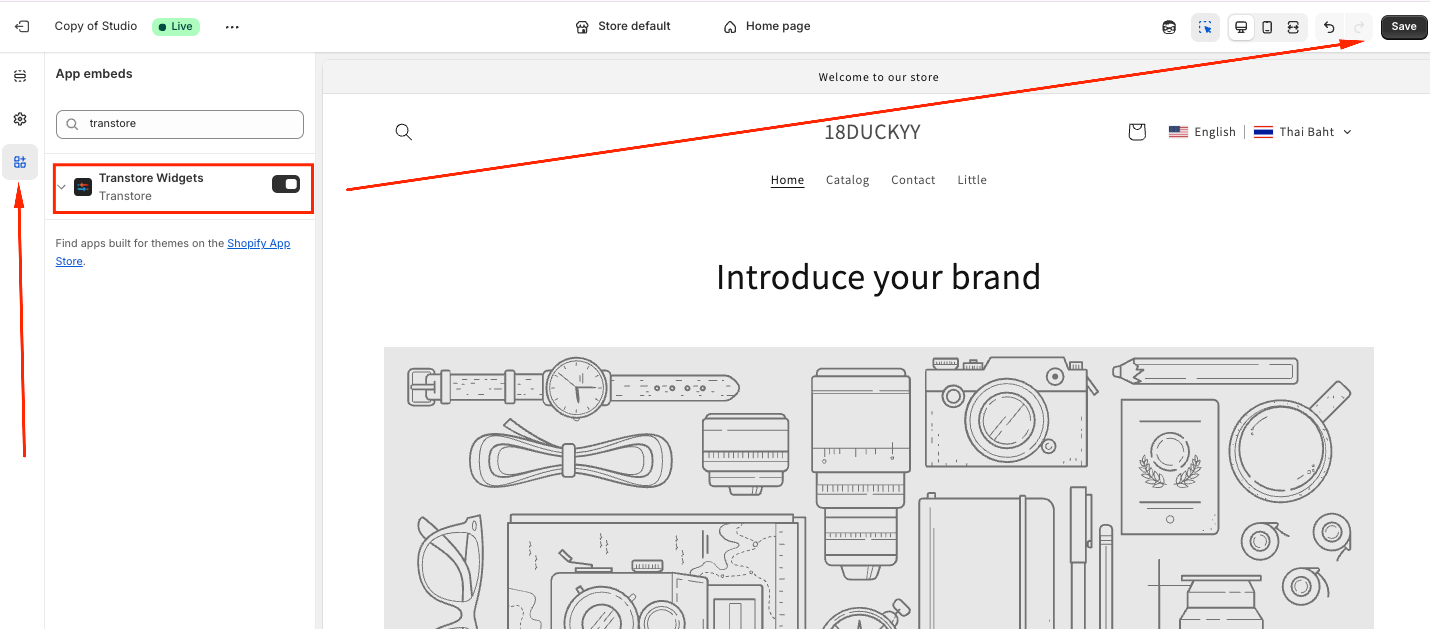
(2) Choose the "App embeds" tab -> Toggle ON the "Transtore" app embed and Save:
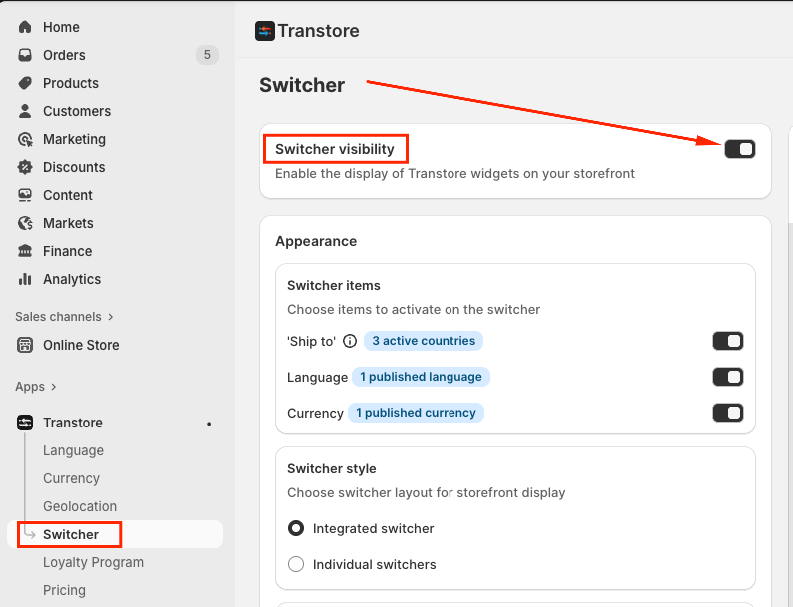
2. Make sure the Switcher was activated in the app
Please go to the Switcher section, enable the Switcher visibility and Save:
After completing the steps above, please refresh your storefront and test again.
If the switcher still doesn’t appear, please feel free to contact us at support@transtore.app or submit a ticket here - We’d be happy to help!
Was this article helpful?
That’s Great!
Thank you for your feedback
Sorry! We couldn't be helpful
Thank you for your feedback
Feedback sent
We appreciate your effort and will try to fix the article