Merchants can embed the Transtore switcher directly on their theme to let customers easily select language or currency on the storefront. Please follow the instructions below to know how to add the Transtore Switcher to your store.
I. Quick Activation from Transtore app
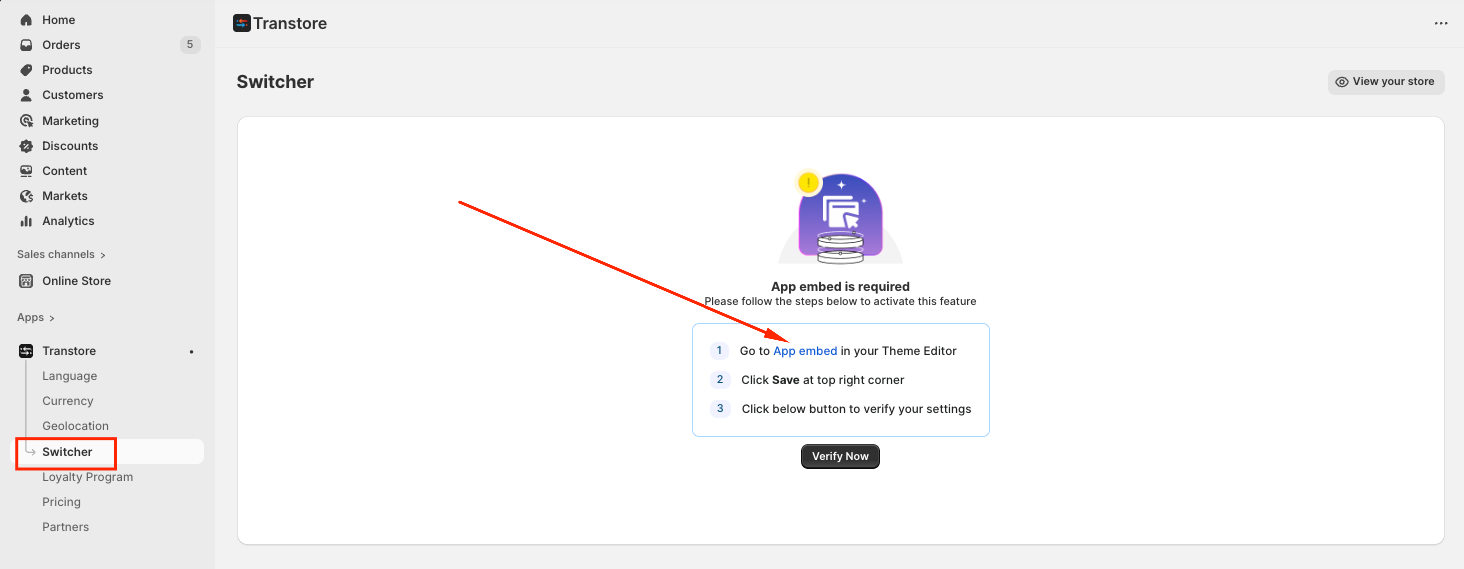
(1) To enable the Switcher, navigate to the Switcher tab → Choose “App Embed”:
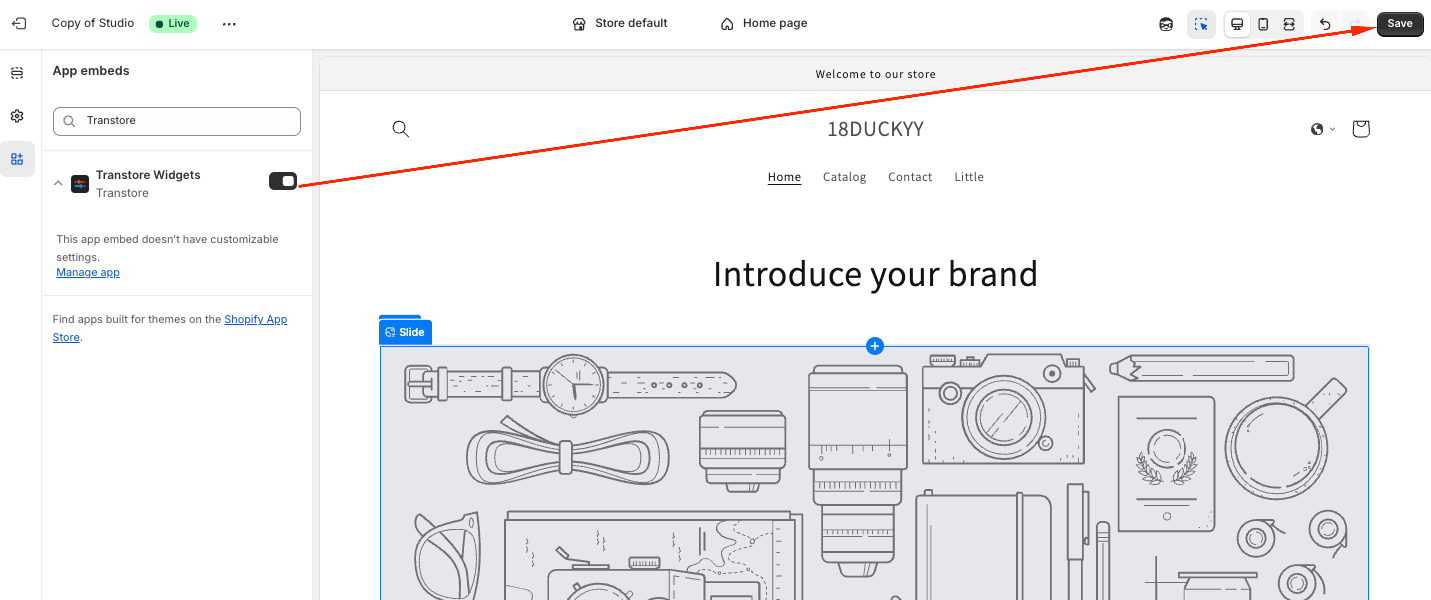
(2) Turn on Transtore app and click Save to apply your changes:
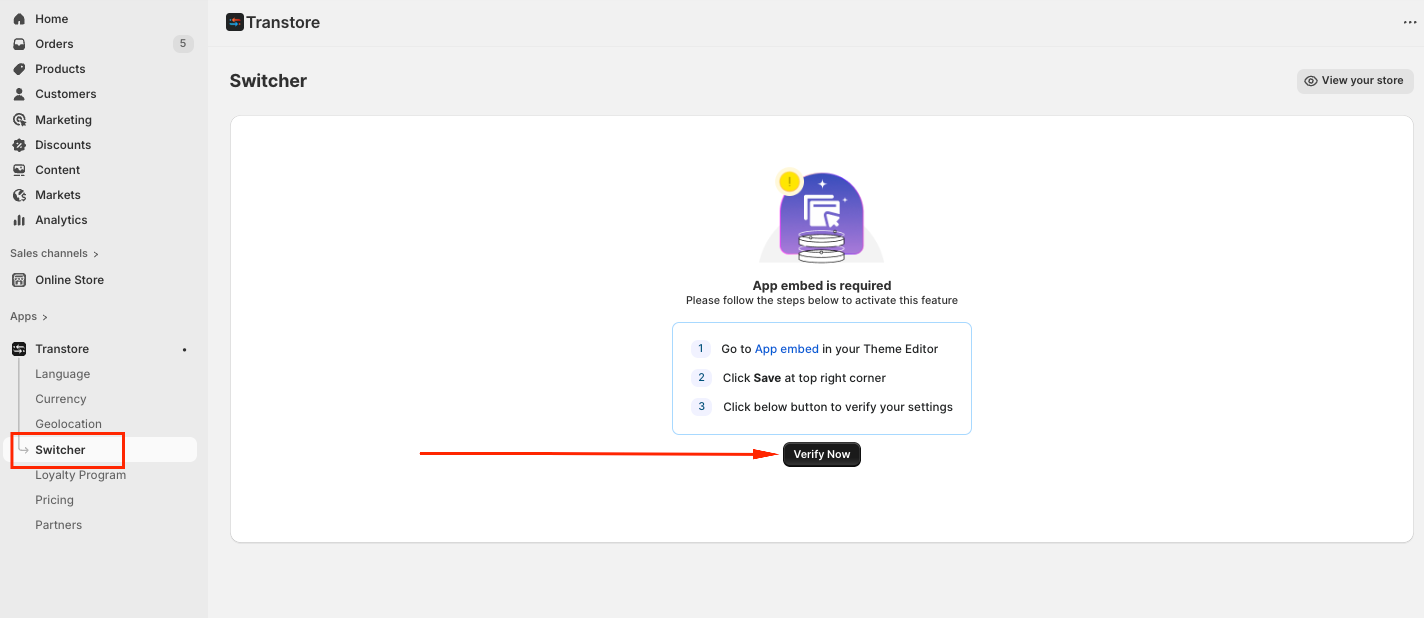
(3) Once the activation is complete, please go back to the Switcher tab, click Verify to ensure the switcher is working properly on your store.
II. Manual Activation Steps
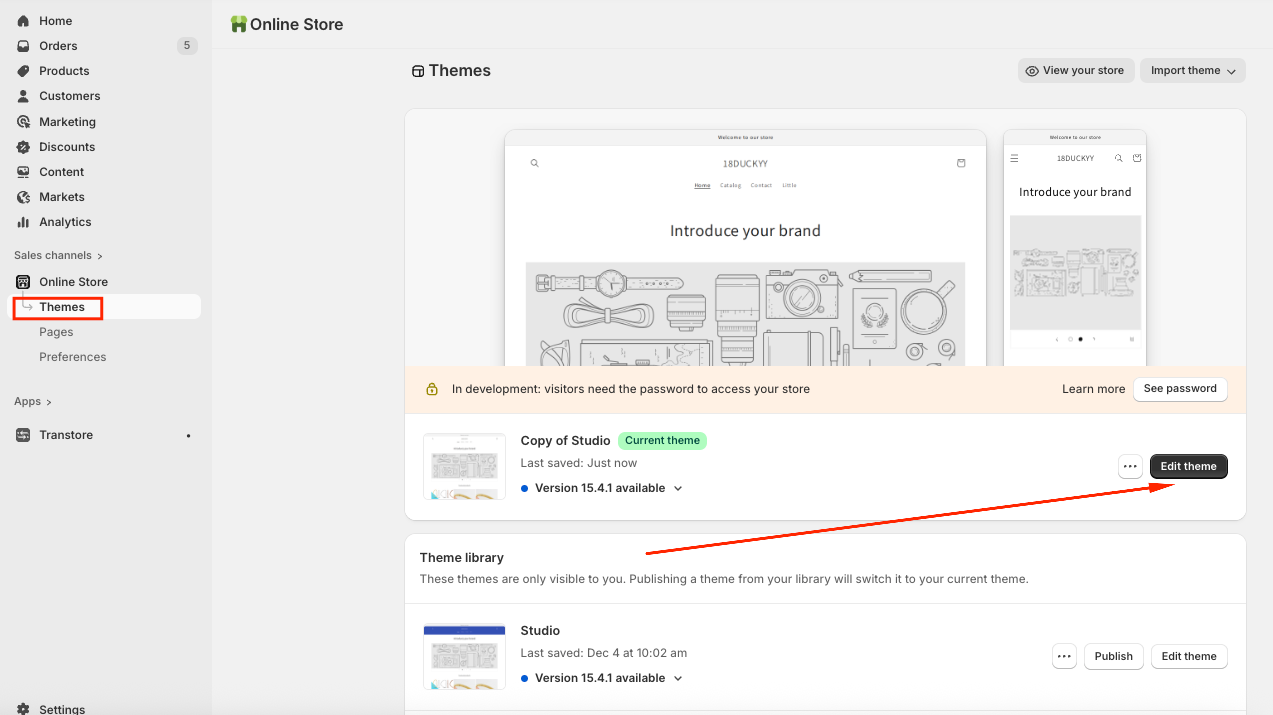
(1) From your Shopify admin, navigate to Online Store → Themes -> Click on Edit theme:
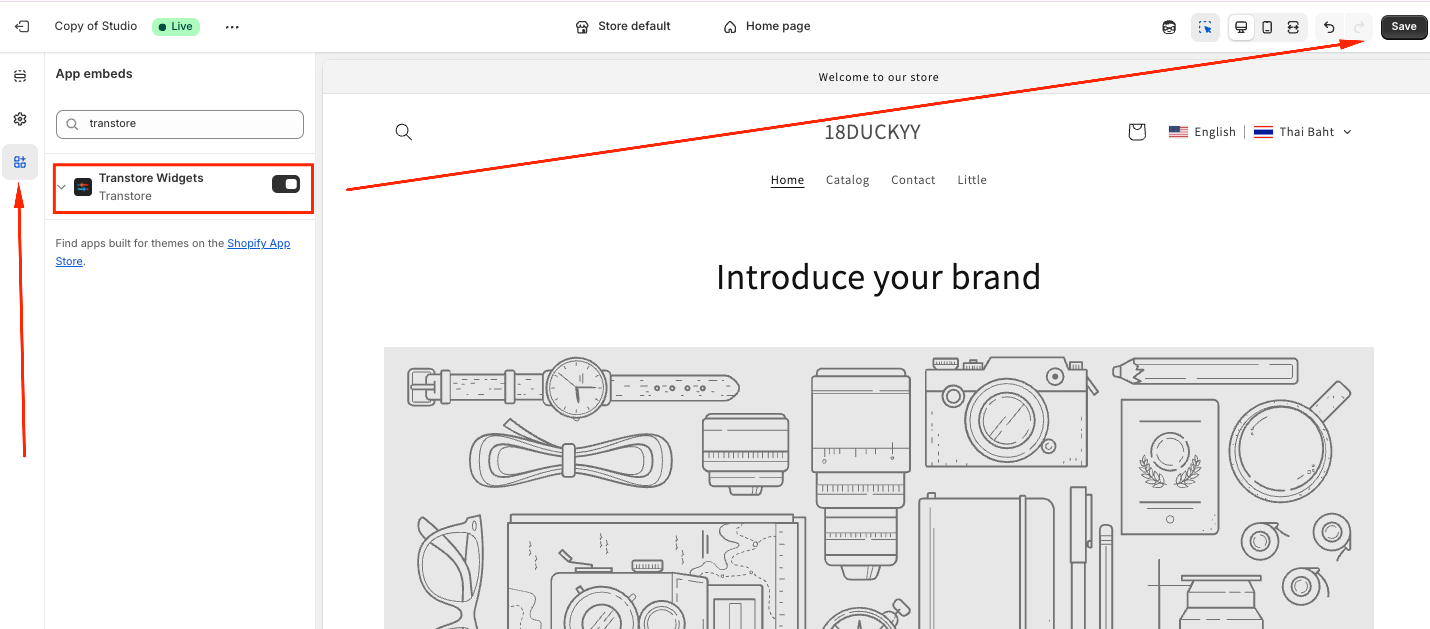
(2) Choose the "App embeds" tab -> Toggle ON the "Transtore" app embed and Save:
If you need further assistance, please feel free to contact us at support@transtore.app or submit a ticket here.
Was this article helpful?
That’s Great!
Thank you for your feedback
Sorry! We couldn't be helpful
Thank you for your feedback
Feedback sent
We appreciate your effort and will try to fix the article