Transtore’s Geolocation feature automatically identifies where visitors are browsing from and suggests the appropriate language and currency. This helps tailor your storefront to each customer, creating a smoother and more personalized shopping experience that supports higher engagement and conversions.
I. How to enable the Geolocation feature
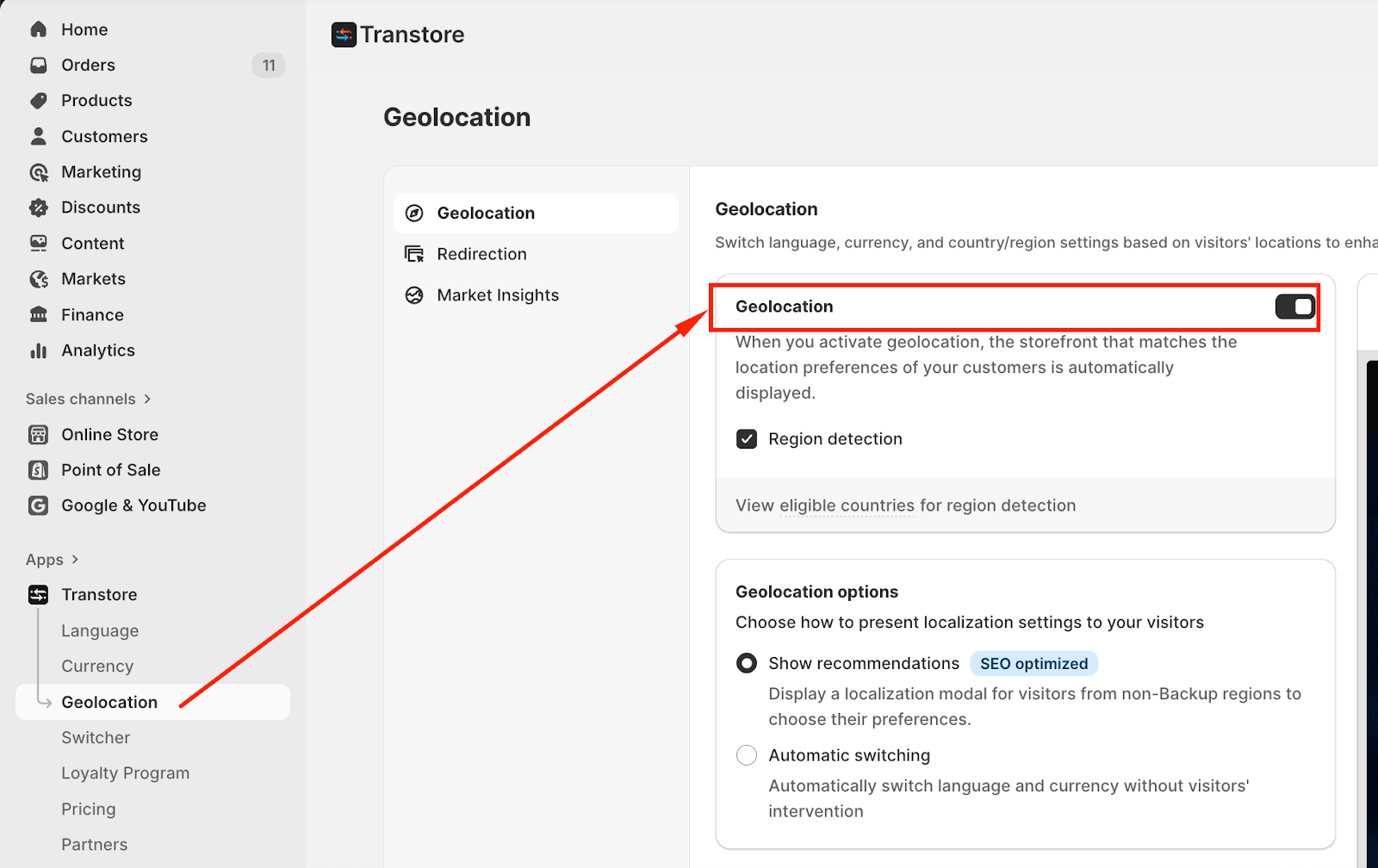
Based on the customer’s location, Transtore’s Geolocation feature will suggest a preferred language and currency when they first come to the store.
You can enable the Geolocation here:
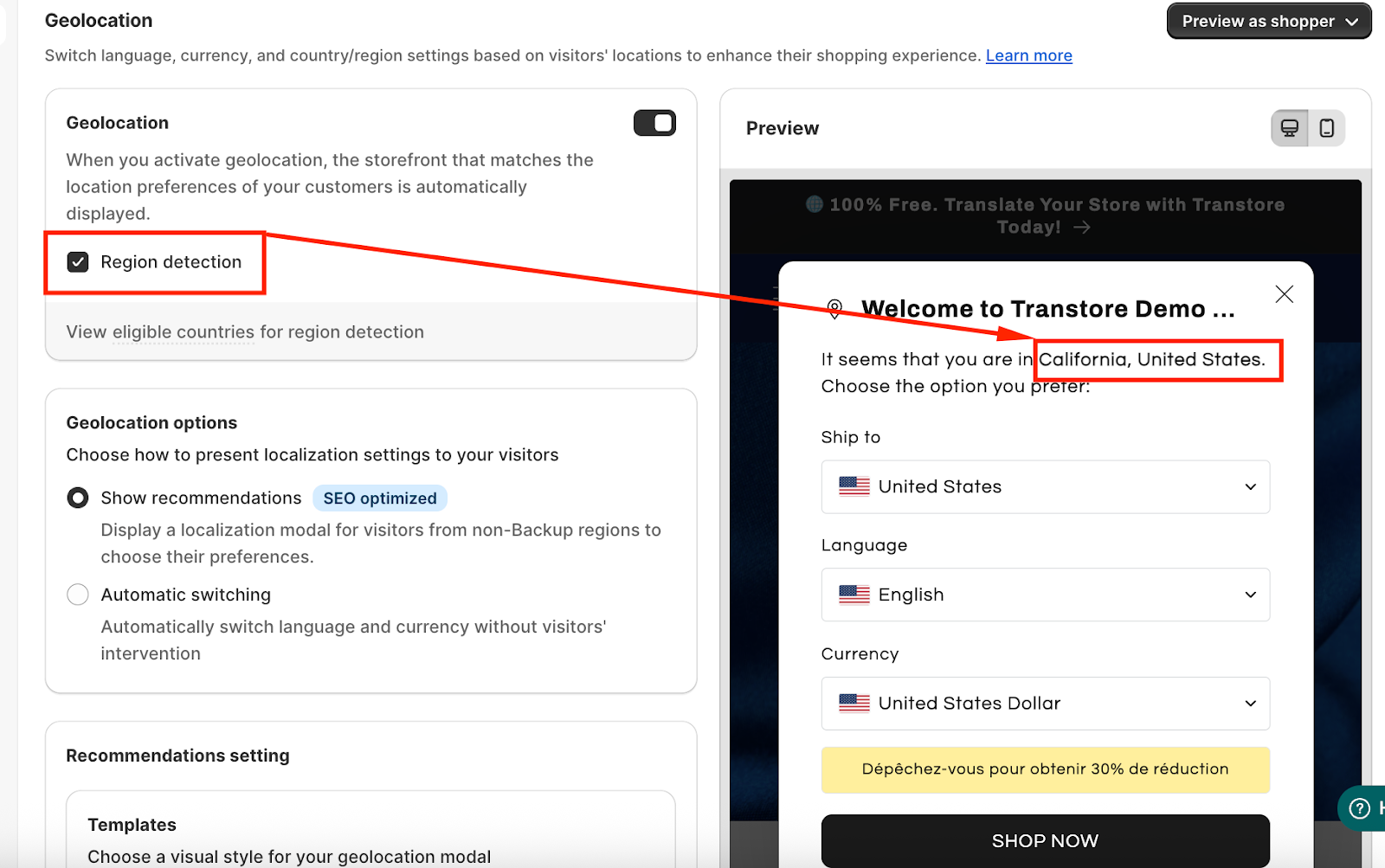
Besides, when you tick on Region detection, Transtore can detect a specific location, such as a state or region (for example, California, United States) in the Pop-up Recommendation:
II. Geolocation options
Transtore provides 2 Geolocation options to control how language and currency are automatically applied on your store:
1. Show Recommendations (SEO-optimized)
This option shows a pop-up modal for visitors from non-default regions, allowing them to choose their preferred language and currency manually before shopping.
Once a customer accepts or dismisses this pop-up modal, they won't see it again for 30 days unless they clear their cookies.
Using the Recommendation pop-up modal is more SEO-friendly because:
Prevents forced redirection, which can negatively affect search engine indexing
Allows search engines to crawl your original store URLs correctly
Improves user experience by giving visitors control over their preferences
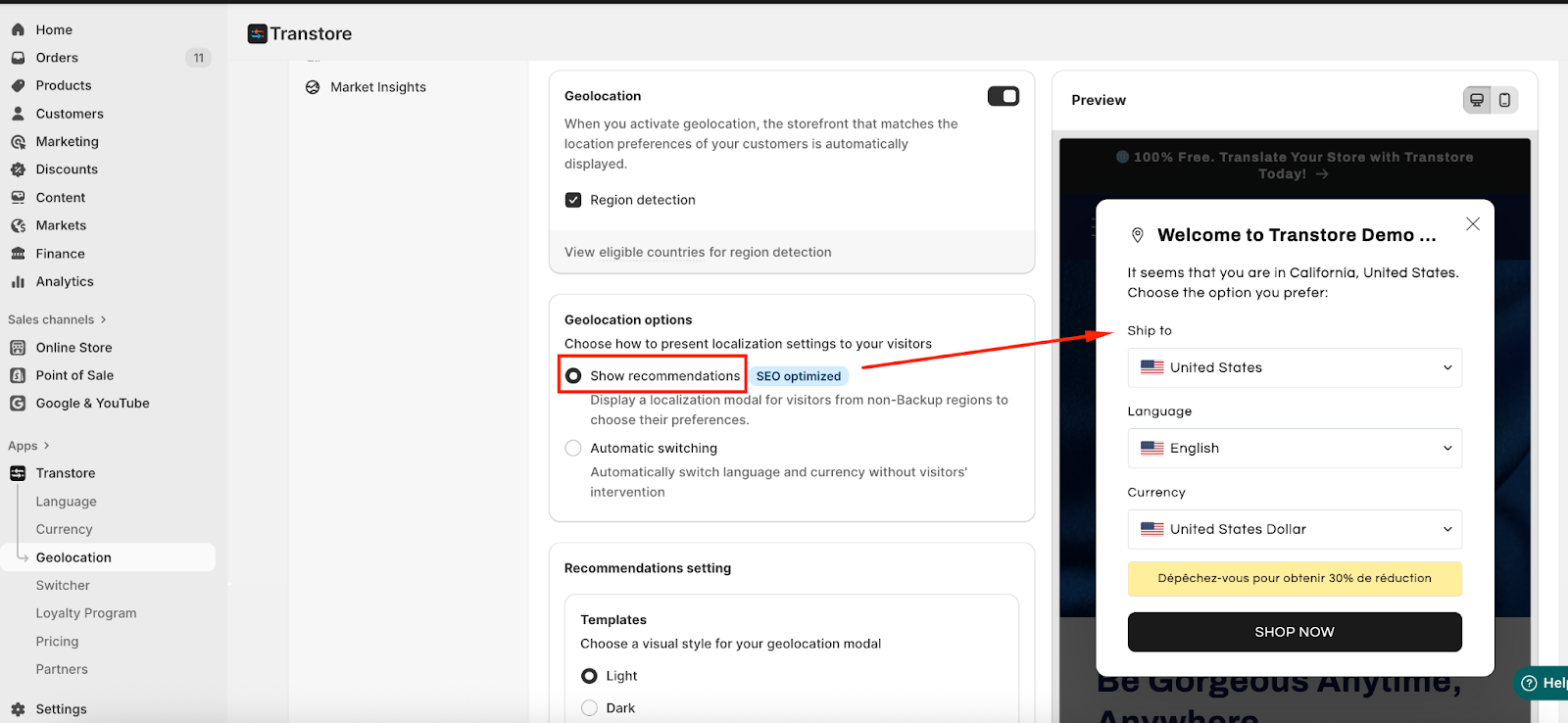
To learn how to customize the geolocation pop-up modal, please refer to this article.
2. Automatic Switching
It will automatically switch language and currency based on the visitor’s location without showing a modal or requiring confirmation.
This option offers a fully automated experience, but it may not be ideal if your SEO optimization is a priority.
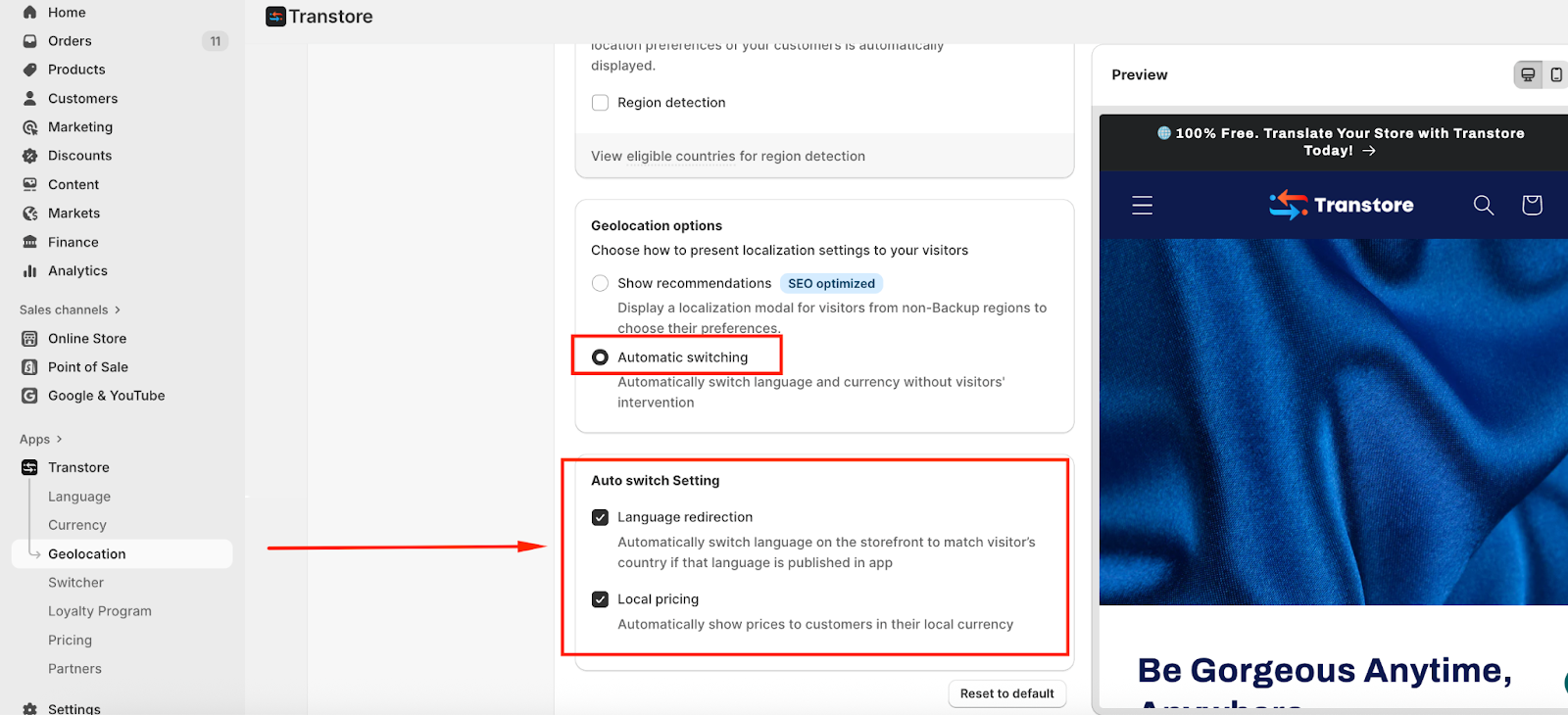
When Automatic Switching is enabled, you can choose how localization is applied:
Auto switch language only – Automatically change the storefront language based on the visitor’s country.
Auto switch currency only – Automatically display prices in the visitor’s local currency.
Auto switch both language and currency – Apply both language redirection and local pricing at the same time.
If you need further guidance or have any questions, don't hesitate to reach out to our support team via email at support@transtore.app or submit a ticket here. We'd be happy to help!
Was this article helpful?
That’s Great!
Thank you for your feedback
Sorry! We couldn't be helpful
Thank you for your feedback
Feedback sent
We appreciate your effort and will try to fix the article