The Geolocation pop-up modal helps inform visitors about available language and currency options based on their location. In Transtore, you can customize this modal to control which option (country/language/currency) to display, how the content is shown and the pop-up design.
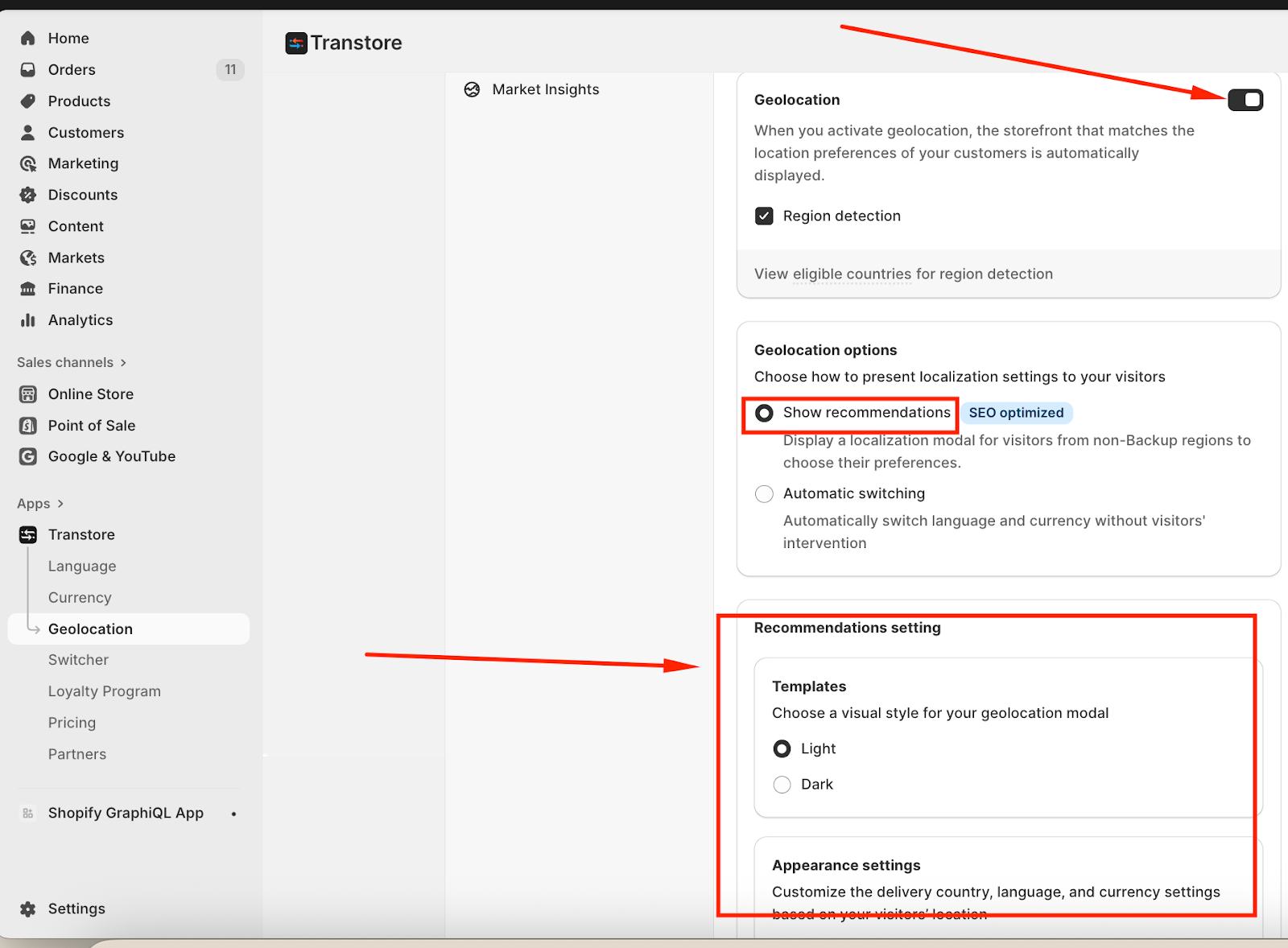
Firstly, please ensure that you have enabled Show recommendations in the Geolocation section. Please visit this article to know How to set up Geolocation in Transtore.
1. Template
You can choose a visual style for the geolocation pop-up modal:
Light – A clean, bright layout that blends well with most themes
Dark – A darker style suited for modern or dark-themed storefronts
2. Appearance Settings
Configure how delivery country, language, and currency recommendations are shown to visitors based on their location.
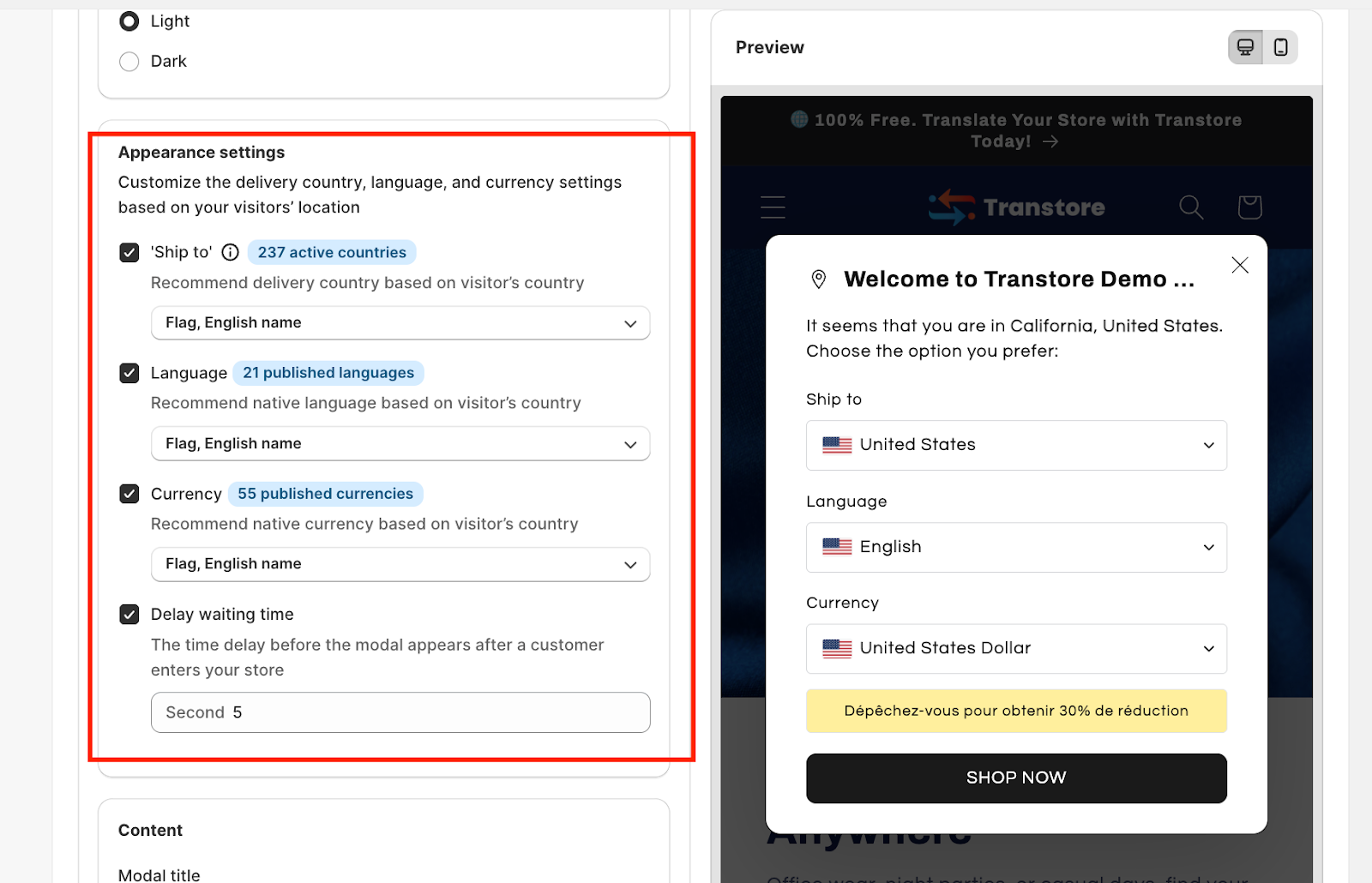
Ship to: Recommend the delivery country based on the visitor’s detected location.
You can choose the Flag and Name representing that country.Language: Recommend the most relevant published language based on the visitor’s country.
You can choose the Flag and Name representing that language.Currency: Recommend the appropriate published currency based on the visitor’s location.
You can choose the Flag, Name, Symbol and Code representing that currency.Delay waiting time: Manually set how long the system waits before displaying the geolocation pop-up modal after a visitor enters your store.
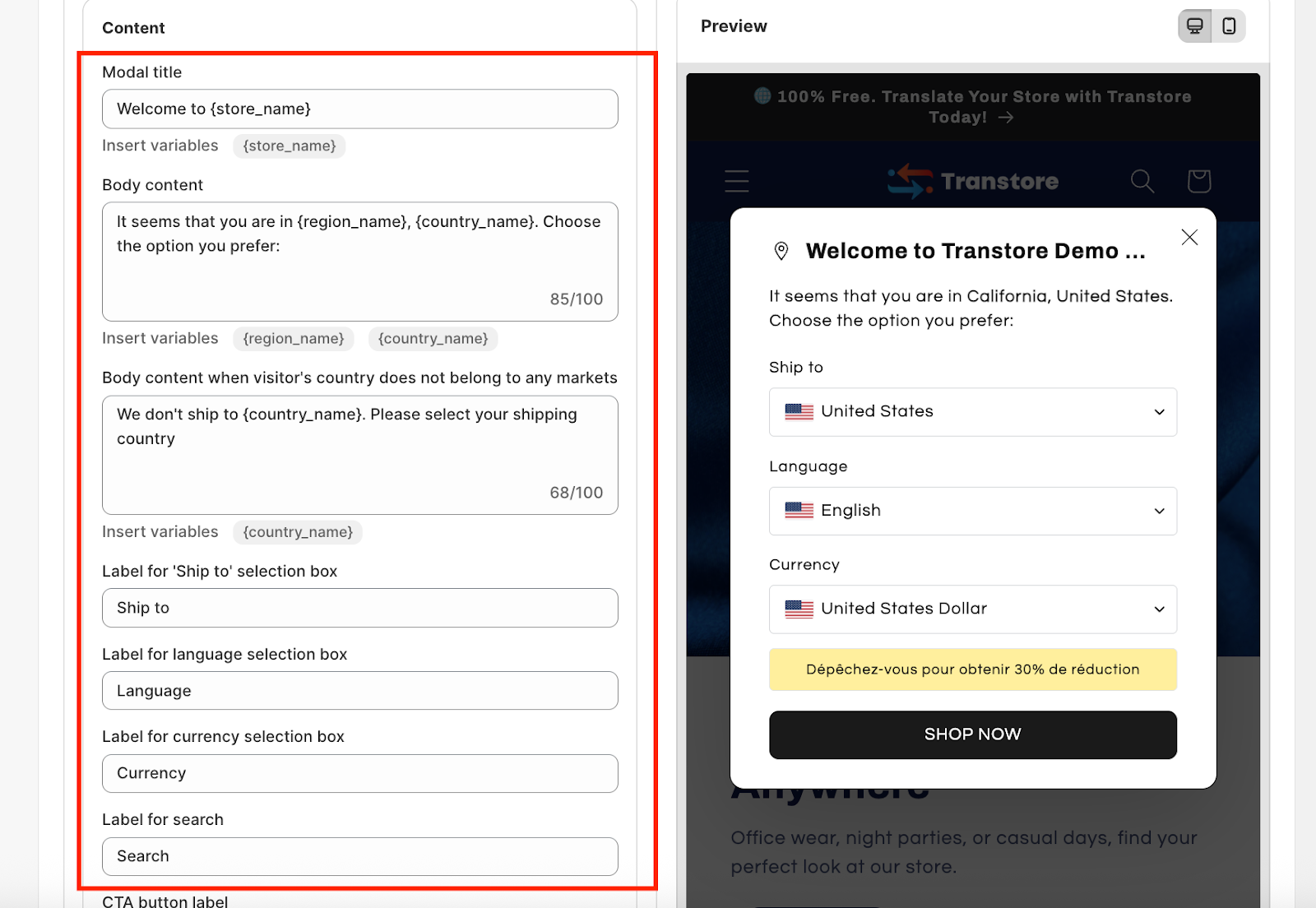
3. Content
Edit all the content you want to display in the pop-up modal:
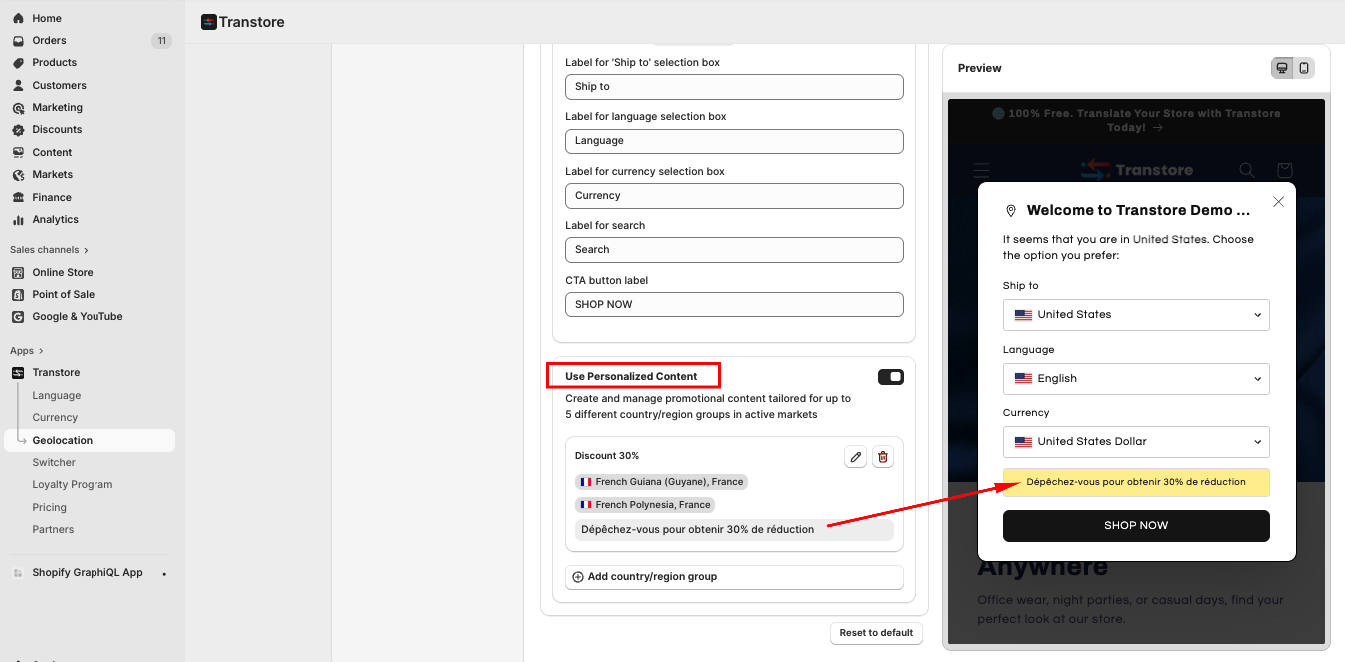
4. Use Personalized Content
Create and manage promotional messages tailored to up to 5 different countries or region groups within your active markets. This allows you to display more relevant content to visitors based on where they’re browsing from, helping improve engagement and localization effectiveness.
For example, show the discount notification for visitors in the French market: “Dépêchez-vous pour obtenir 30% de réduction.”:
If you need further guidance or have any questions, don't hesitate to reach out to our support team via email at support@transtore.app or submit a ticket here. We'd be happy to help!
Was this article helpful?
That’s Great!
Thank you for your feedback
Sorry! We couldn't be helpful
Thank you for your feedback
Feedback sent
We appreciate your effort and will try to fix the article