Displaying content in right-to-left (RTL) format helps create a more natural and familiar shopping experience for customers using languages like Arabic or Hebrew. Transtore supports RTL format and ensures the translation is shown correctly, depending on your Shopify theme’s capabilities.
How Transtore Handles RTL Content
Transtore focuses on translating your store content from the default language into multiple target languages, including displaying the RTL format in current languages.
The text direction and layout (RTL or LTR) are controlled directly by your Shopify theme. Here's how it works:
If your theme supports RTL: Translated content (e.g. Arabic) will automatically display in RTL format on the storefront.
If your theme does not support RTL: The translation will still appear correctly, but the layout will remain left-to-right (LTR).
You can visit our demo store here to see how the translation displays with RTL layout in the Arabic language: https://demo.transtore.app/ar
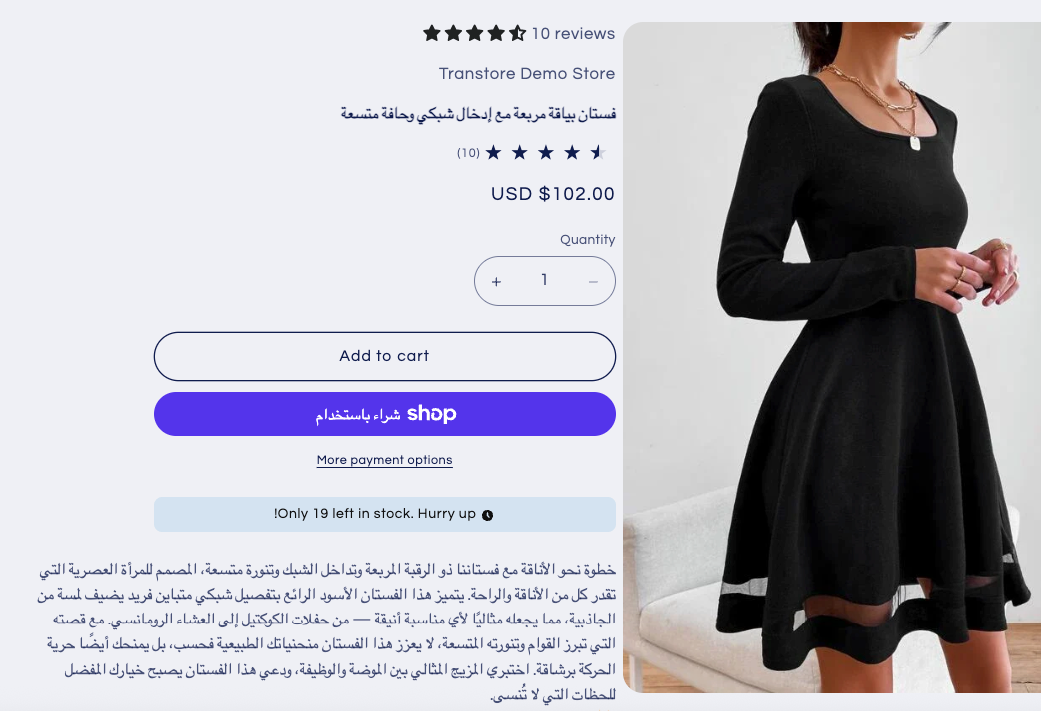
Note: If the translation isn’t displaying in RTL format as expected, feel free to contact our support team. We’ll help double-check and provide further steps.
If you have more questions, don't hesitate to reach out to our support team via email at support@transtore.app or submit a ticket here. We'd be happy to help!
Was this article helpful?
That’s Great!
Thank you for your feedback
Sorry! We couldn't be helpful
Thank you for your feedback
Feedback sent
We appreciate your effort and will try to fix the article