Transtore is designed to work seamlessly with Shopify Markets, so you don’t need to duplicate settings or configure things twice. Once your markets are set up in Shopify, Transtore will automatically sync and apply those configurations to your storefront without requiring additional setup in the app.
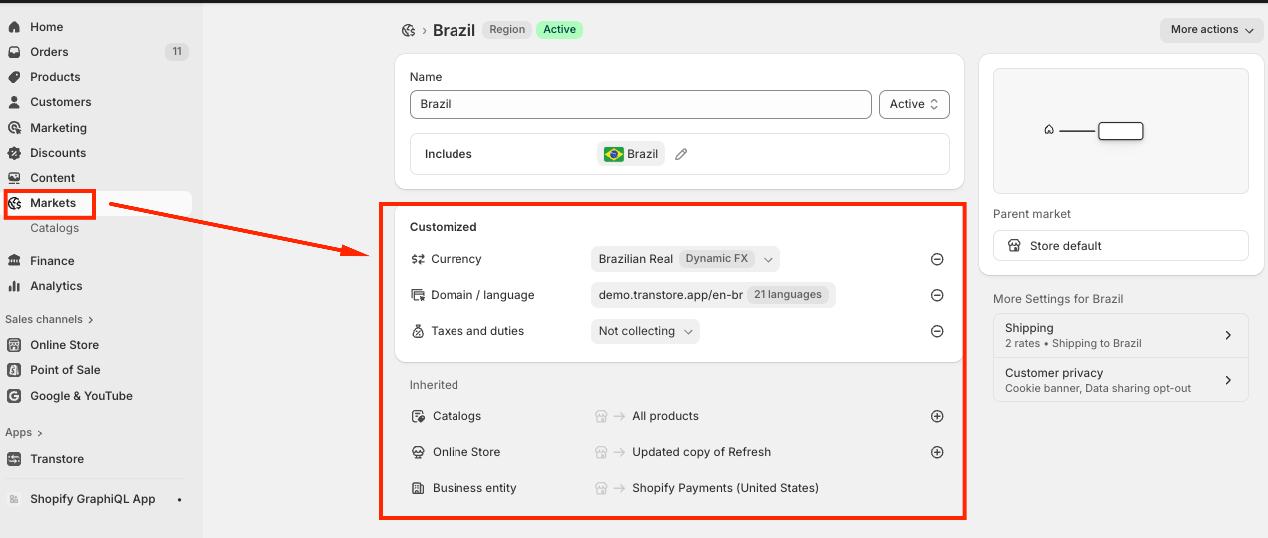
To know how to create the Markets in Shopify, please refer to this Shopify’s guidelines.
Additionally, any changes you make in Shopify Markets — such as adding a new language, updating a currency, or adjusting market settings — will be automatically synced to Transtore. This ensures your localization setup stays consistent and always up to date without manual intervention.
Important Notes:
All countries set in Shopify Markets will automatically appear in the Ship to selection of Transtore Switcher.
If you want each Market to have its own product prices instead of having automatic currency conversion, please set up the product price in Shopify Markets → Catalogs. Then add the Catalog for each Market.
Removing or publishing a Market won’t affect target languages or currencies you have in Transtore — they will continue to appear in the switcher as long as they’ve been added directly in the app
If you need further guidance or have any questions, don't hesitate to reach out to our support team via email at support@transtore.app or submit a ticket here. We'd be happy to help!
Was this article helpful?
That’s Great!
Thank you for your feedback
Sorry! We couldn't be helpful
Thank you for your feedback
Feedback sent
We appreciate your effort and will try to fix the article
