Try Transtore with full confidence before committing. When you install the app for the first time, you’ll receive a 7-day free trial that gives you access to all Premium features — no upfront cost required.
This trial allows you to explore how Transtore supports localization, currency conversion, and market-based experiences for international customers, so you can decide whether it’s the right fit for your store.
I. Start Your Free Trial
1. Install Transtore from the Shopify App Store
Go to Shopify App Store → Search for Transtore → Click "Install"
You can install our app directly here: https://apps.shopify.com/transtore-language-and-currency
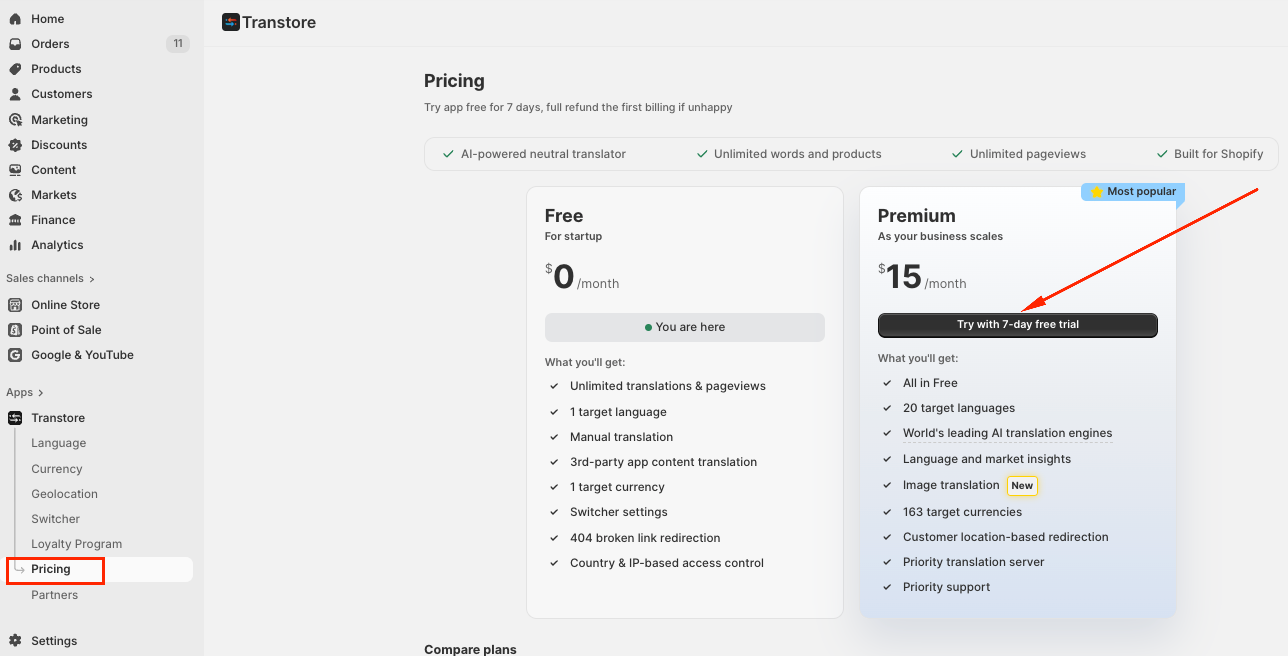
2. Choose a Plan
After installation, select a plan that suits your business needs
You can review our pricing details directly on the pricing page
3. Approve the Charge Setup
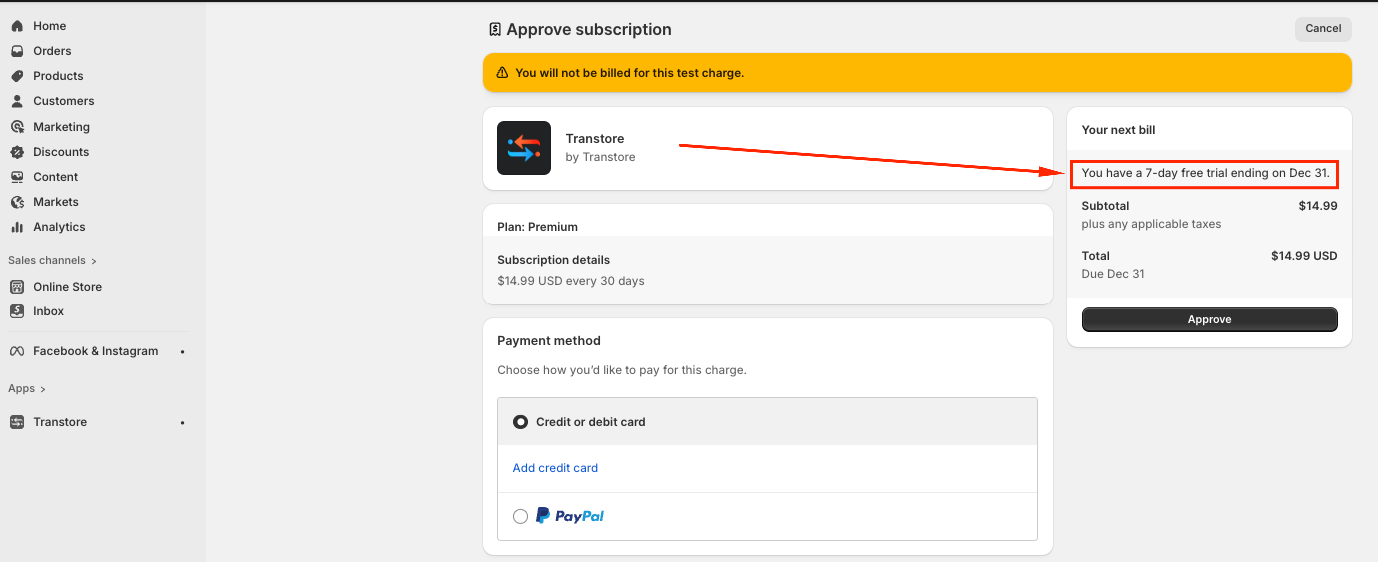
Confirm your selected plan to activate the 7-day free trial
Shopify will ask you to approve the charge, but no payment will be made during the trial
Please review the billing start date and plan price before confirming
II. During the Trial
You can upgrade, downgrade, or switch plans at any time
Switching plans does not affect your remaining trial days
The free trial applies only to paid plans
Selecting the Free plan will not activate or use the trial
III. After the Trial Ends
Once the 7-day trial ends, Shopify automatically bills you based on your current plan
You’ll continue using Transtore without interruption
Billing follows Shopify’s standard monthly subscription cycle
If you need further guidance or have any questions, don't hesitate to reach out to our support team via email at support@transtore.app or submit a ticket here. We'd be happy to help!
Was this article helpful?
That’s Great!
Thank you for your feedback
Sorry! We couldn't be helpful
Thank you for your feedback
Feedback sent
We appreciate your effort and will try to fix the article