The Country and IP Blocker feature helps you control who can access your store by restricting traffic from specific countries or IP addresses. This is useful for reducing unwanted visits, improving store security, and managing regional access more effectively.
I. How Country & IP Blocker Works
Transtore allows you to block access in two ways:
1. Block by Country
You can prevent visitors from specific countries from accessing your store.
Pros:
- Easy to set up
- Effective for blocking large regions or markets you don’t serve
Cons:
Country detection is based on IP location and may vary if visitors use VPNs or proxies.
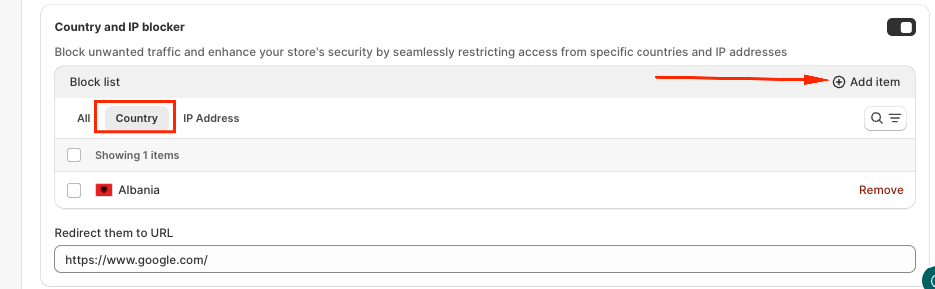
2. Block by IP Address
You can block access from specific IP addresses.
Pros:
- Very precise control
- Ideal for blocking known bots, spam traffic, or suspicious users
Cons:
Requires knowing the exact IP address
Less practical for blocking large groups of visitors
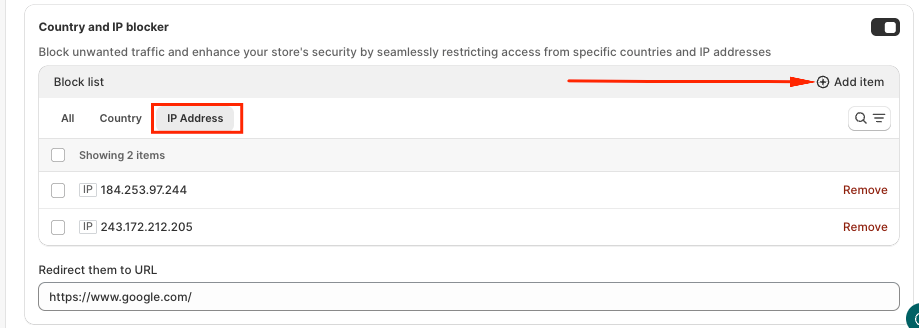
3. Redirect Blocked Visitors
Instead of showing an error page, Transtore allows you to redirect blocked visitors to a specific URL. You can send them to a custom page, homepage, or an external URL
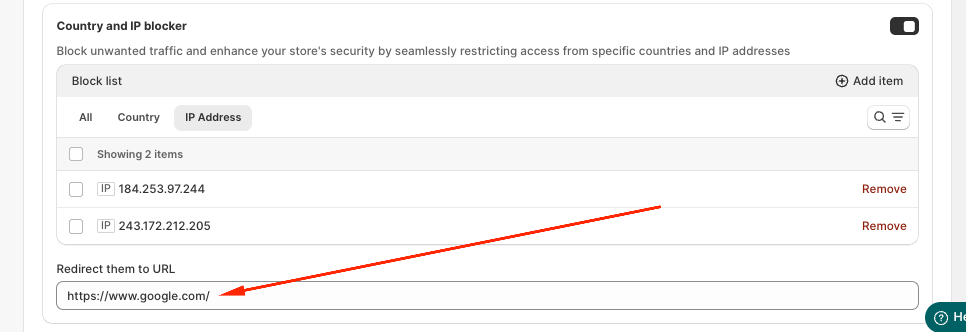
This helps maintain a smoother experience while still restricting access.
II. How to Set It Up
Please go to Geolocation Navigation in Transtore -> Redirection:
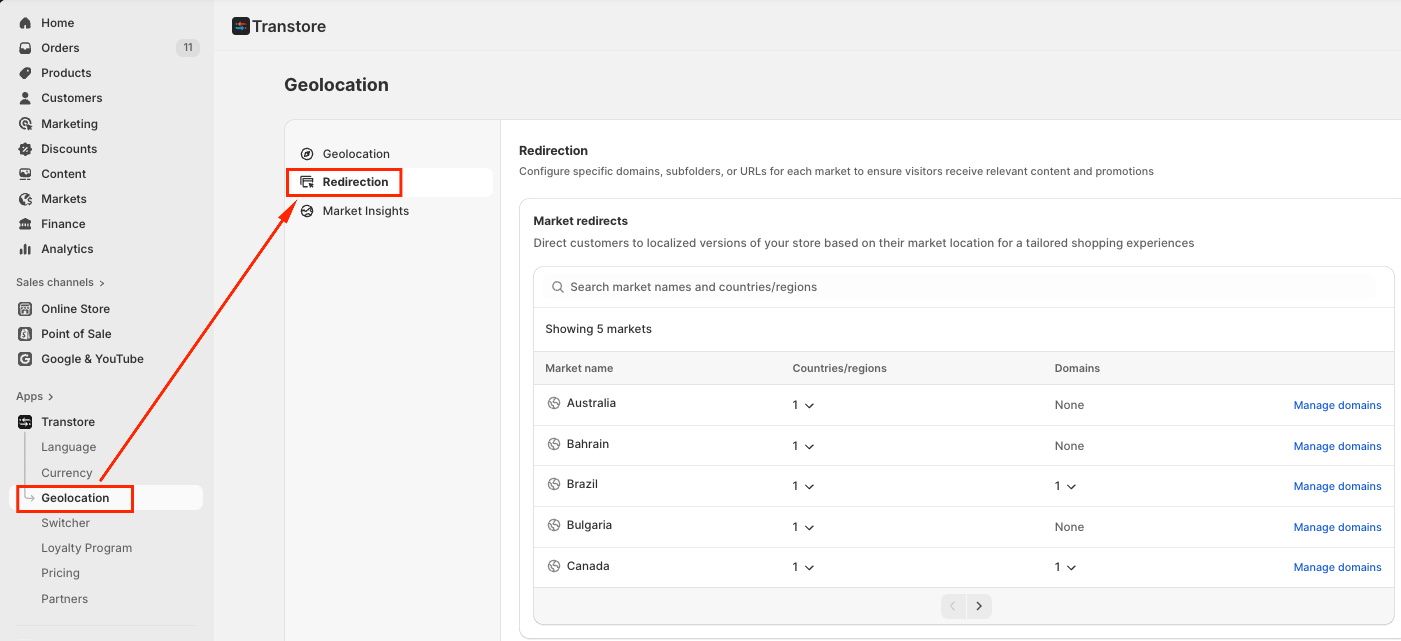
Scroll down and enable the Country & IP Blocker section:
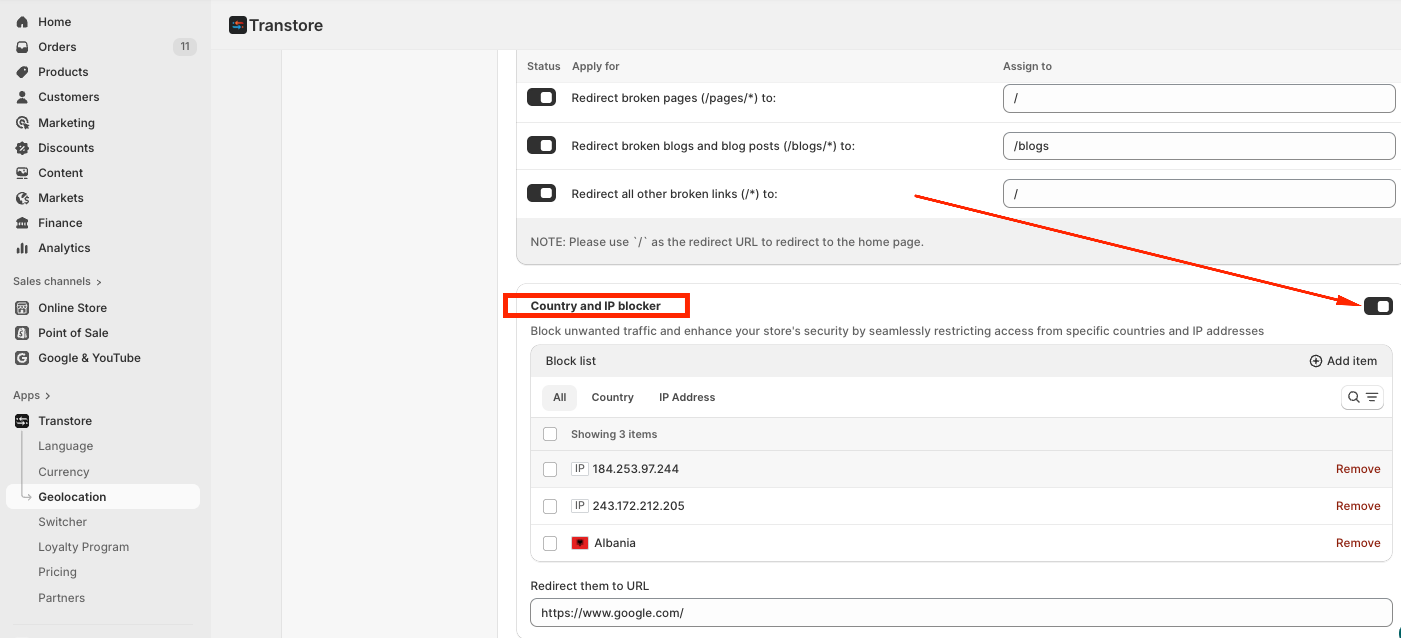
Add the countries or IPs you want to restrict.
Set the Redirect URL for blocked visitors.
5. Save your settings.
Was this article helpful?
That’s Great!
Thank you for your feedback
Sorry! We couldn't be helpful
Thank you for your feedback
Feedback sent
We appreciate your effort and will try to fix the article