When you uninstall Transtore, the switcher will be automatically removed from your storefront, and your store will return to its original state. In most cases, no leftover code remains after uninstalling.
Important note for currency formatting
If you previously used the currency feature in Transtore, please follow these steps to fully revert to Shopify’s default settings:
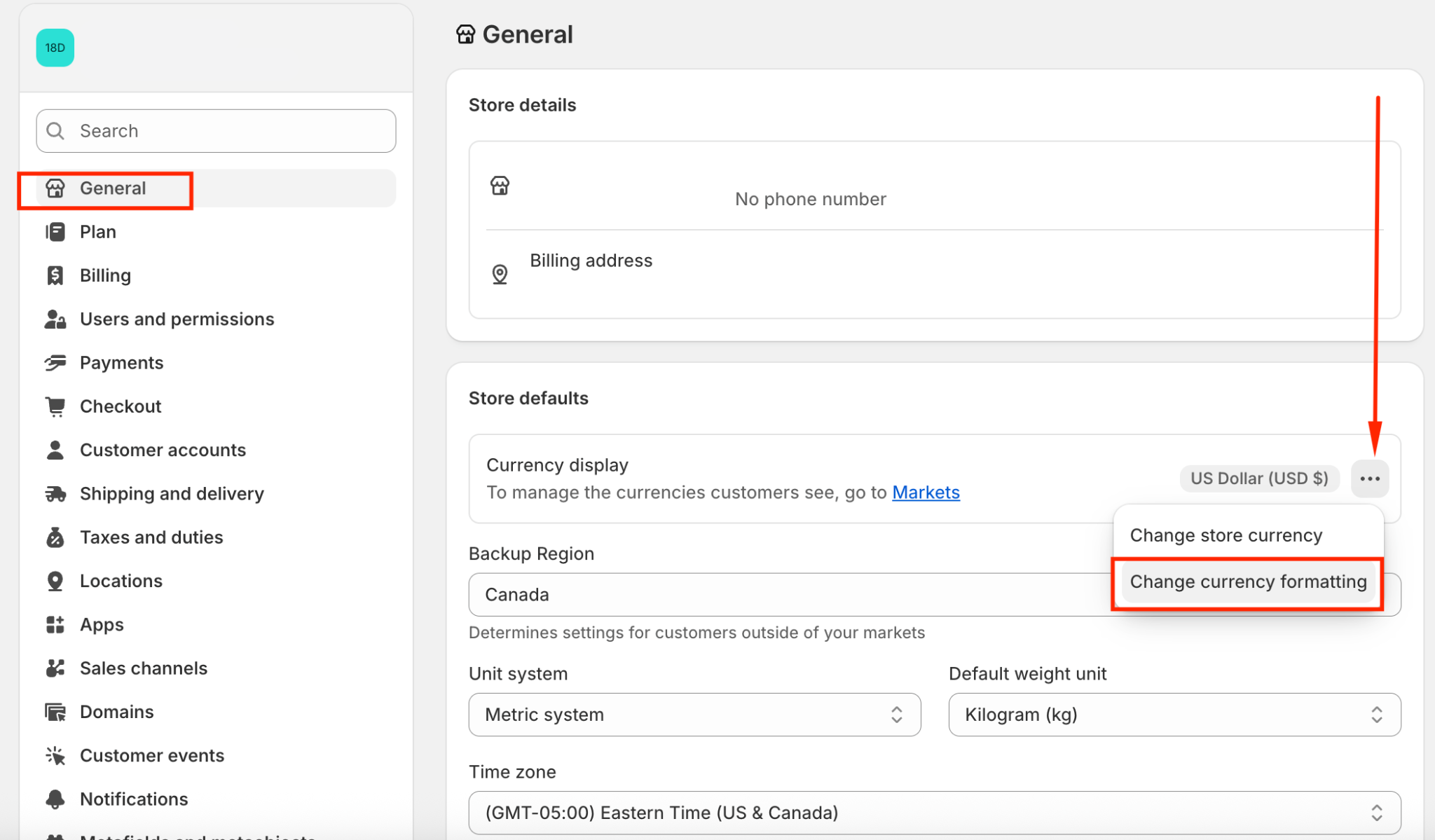
Go to Shopify Settings → General -> Choose Change currency formatting
Remove the code in both “HTML with currency” and “HTML without currency” fields, then click Save:
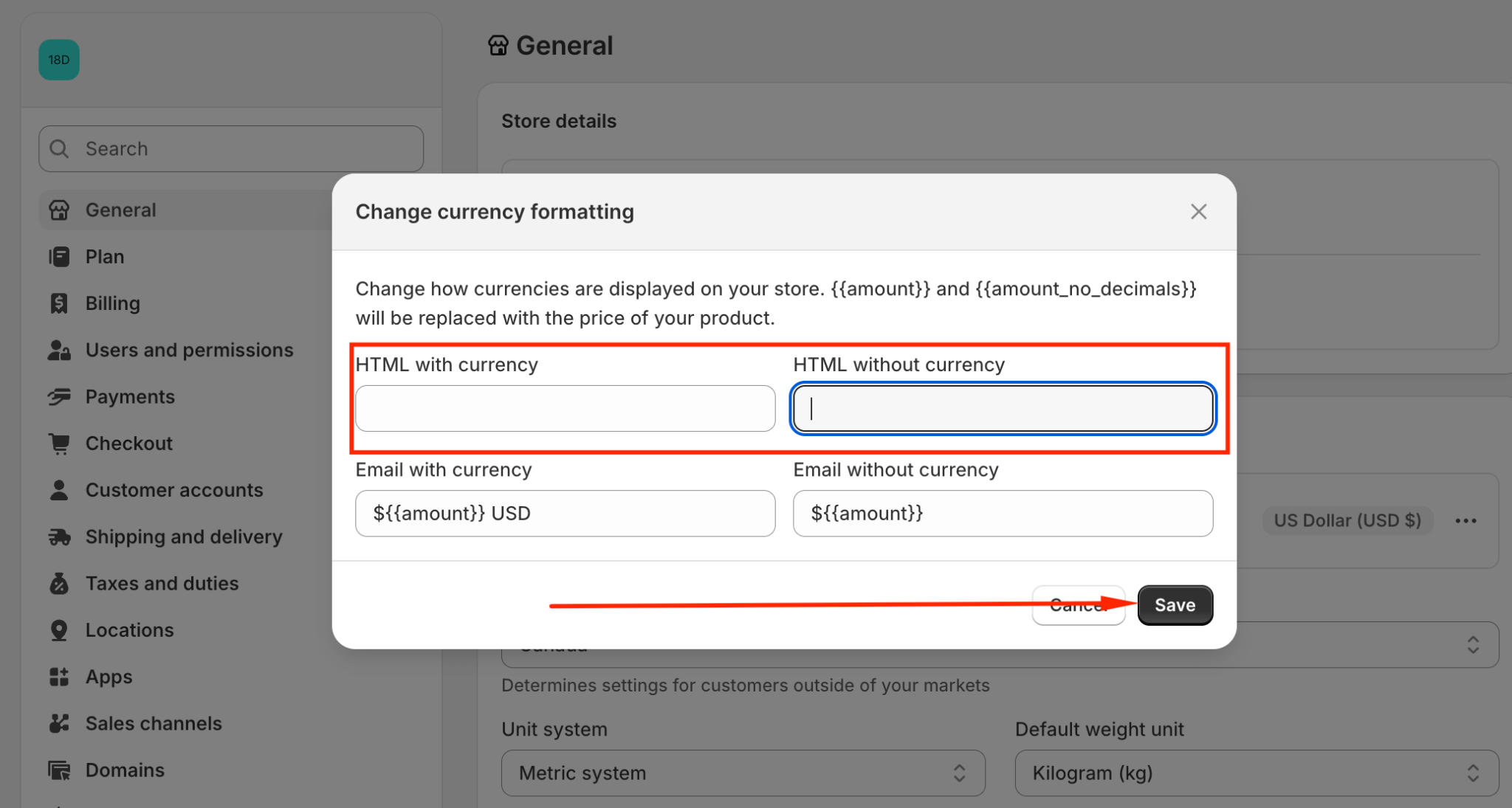
Once saved, your store will automatically revert to Shopify’s default currency format.
If you need any help or want us to double-check your store, feel free to reach out to us via email at support@transtore.app or submit ticket here. We’re happy to help! ?
Was this article helpful?
That’s Great!
Thank you for your feedback
Sorry! We couldn't be helpful
Thank you for your feedback
Feedback sent
We appreciate your effort and will try to fix the article