Transtore supports manually editing product variant translations such as Size, Color, Material, or Gender directly in the app.
Some variants (e.g. S, M, L, M/F, color names) can be difficult to translate accurately with automatic translation. In certain themes, variants may also be hardcoded, which can cause display or formatting issues if translated automatically. Manual editing helps you keep translations natural, consistent, and fully aligned with your store’s design.
How to Edit Variant Translations
Please go to Manage Translate → Products → Find a product and scroll down to see the Product option name and Product option value:
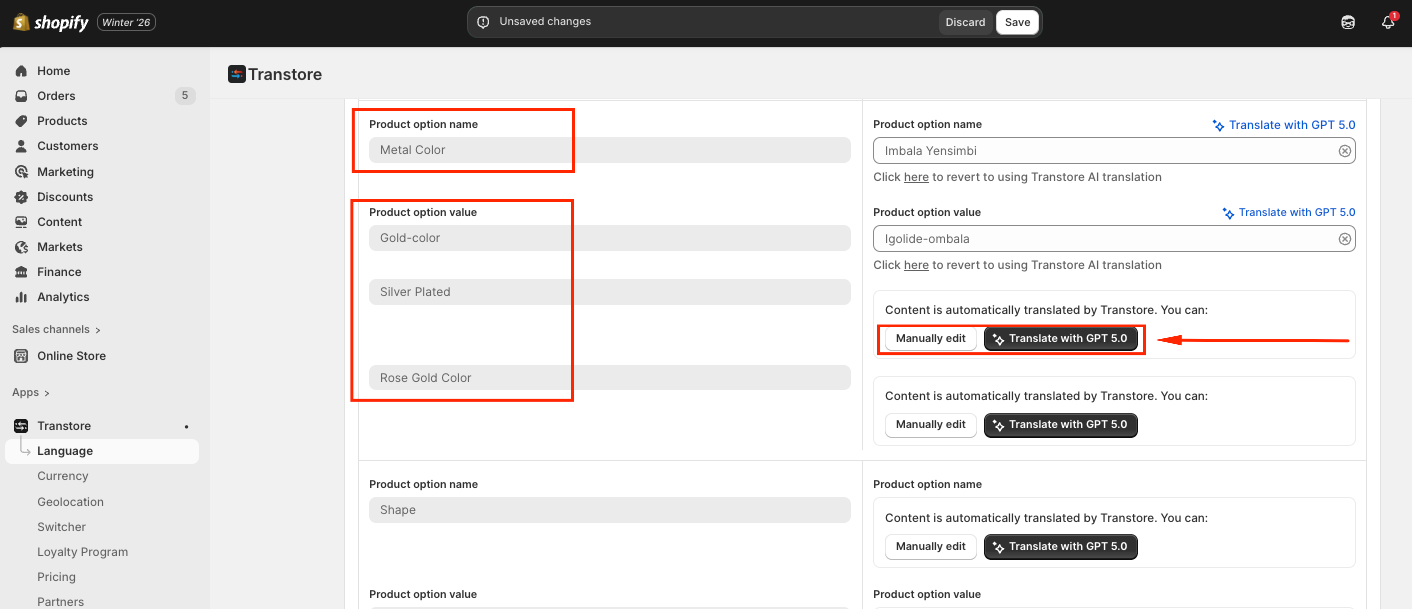
You can translate it by simply clicking on AI translation, or manually editing the translation, then select Save.
Finally, please double-check how the variant translation shows on the storefront.
If you need further guidance or have any questions, don't hesitate to reach out to our support team via email at support@transtore.app or submit a ticket here. We'd be happy to help!
Was this article helpful?
That’s Great!
Thank you for your feedback
Sorry! We couldn't be helpful
Thank you for your feedback
Feedback sent
We appreciate your effort and will try to fix the article