If your store already has translations created by apps like Translate & Adapt or Weglot, Transtore will automatically sync those translations from Shopify when you install the app.
1. How the migration works
Transtore automatically detects and syncs existing translations that are already saved in Shopify’s translation system. No manual import is required.
➡️ These translations will be automatically migrated and displayed in Transtore once the app is installed and languages are published.
2. Want to re-translate everything from scratch?
If you don’t want to use the existing translations and prefer to start fresh with Transtore, you can delete that language completely from Shopify. This will permanently remove those translations from Shopify’s system.
Please follow these steps:
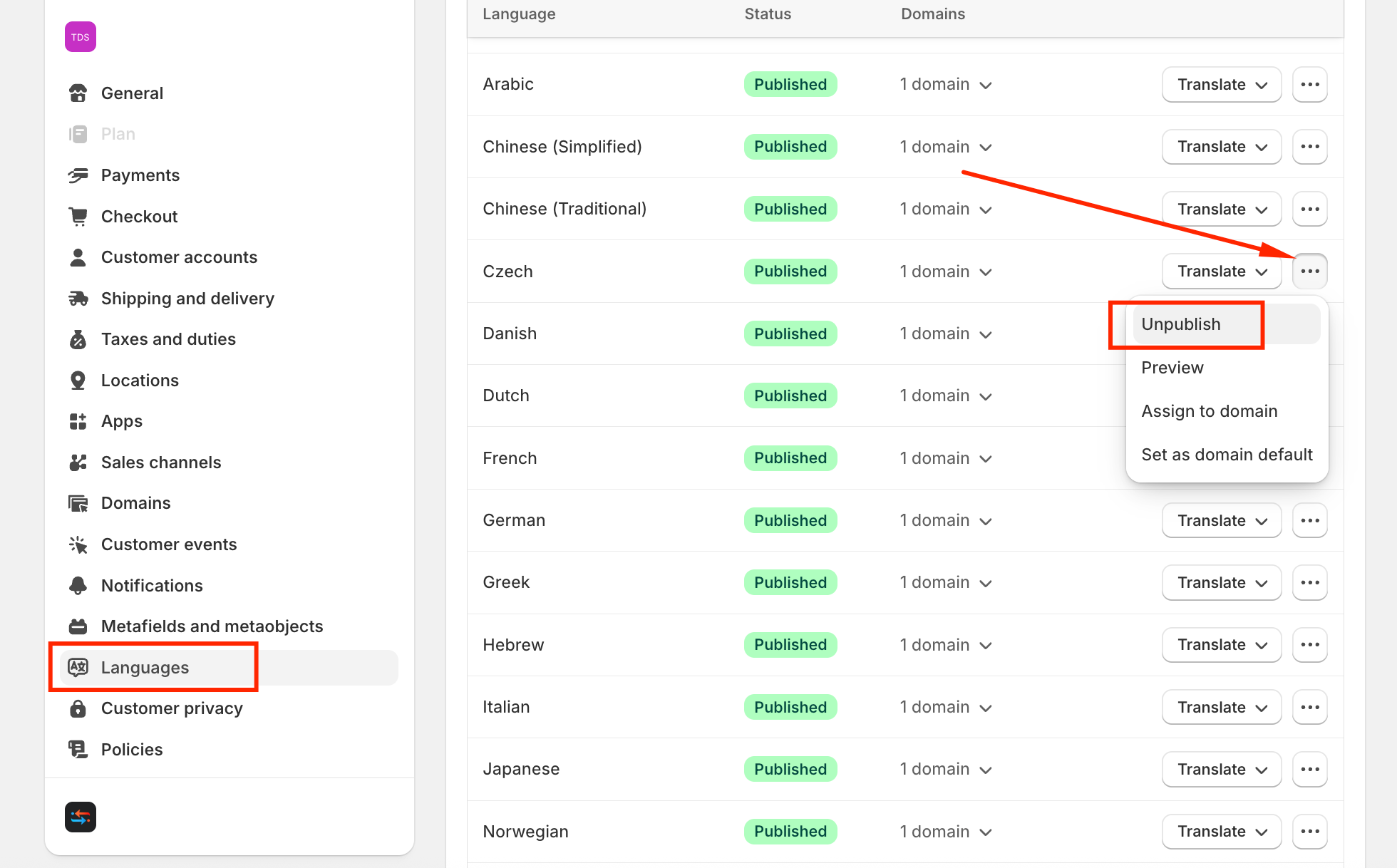
(1) Go to Shopify Admin → Settings → Languages → Unpublish the Language you want:
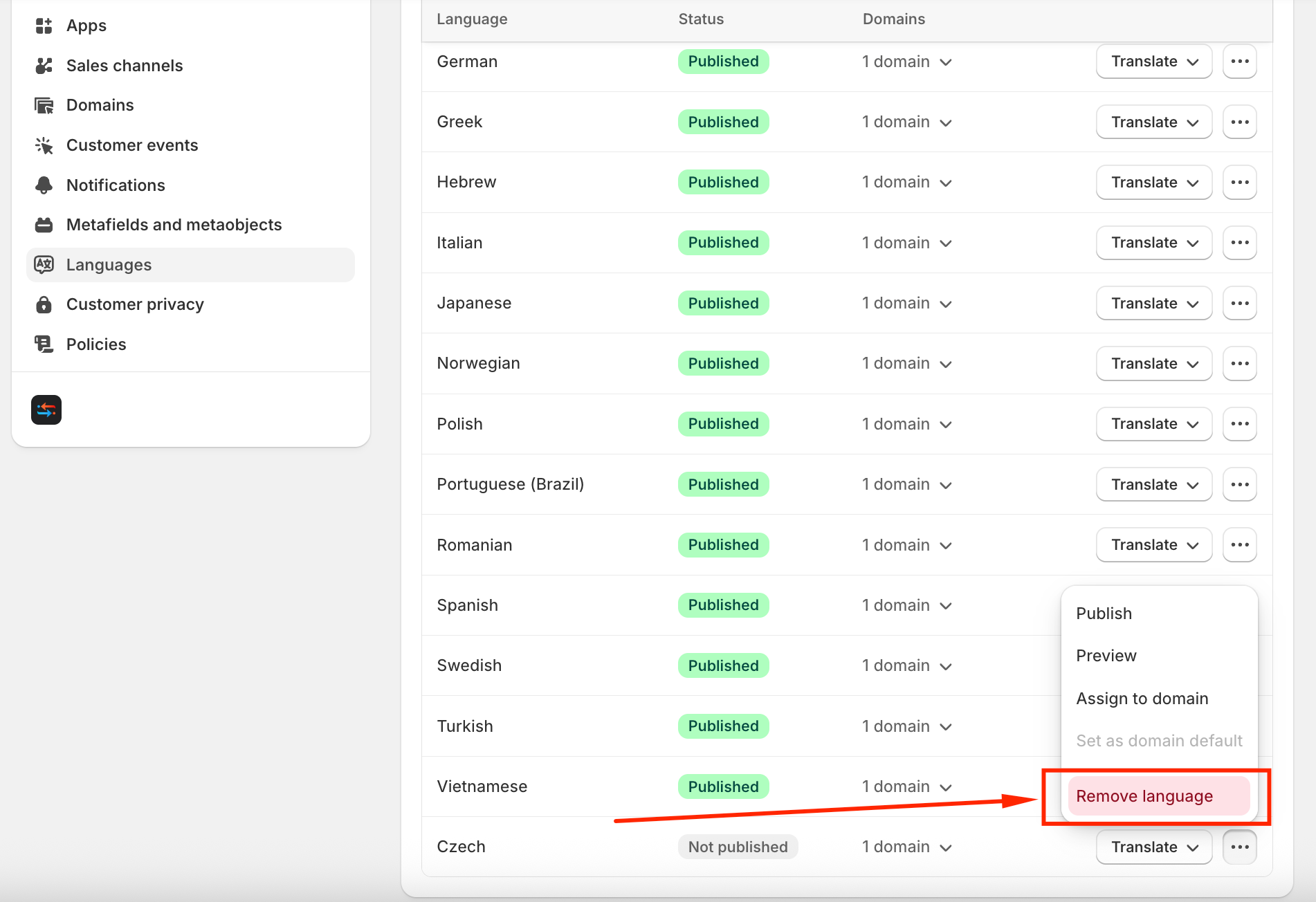
(2) Once it’s unpublished, you can remove it from the Shopify system:
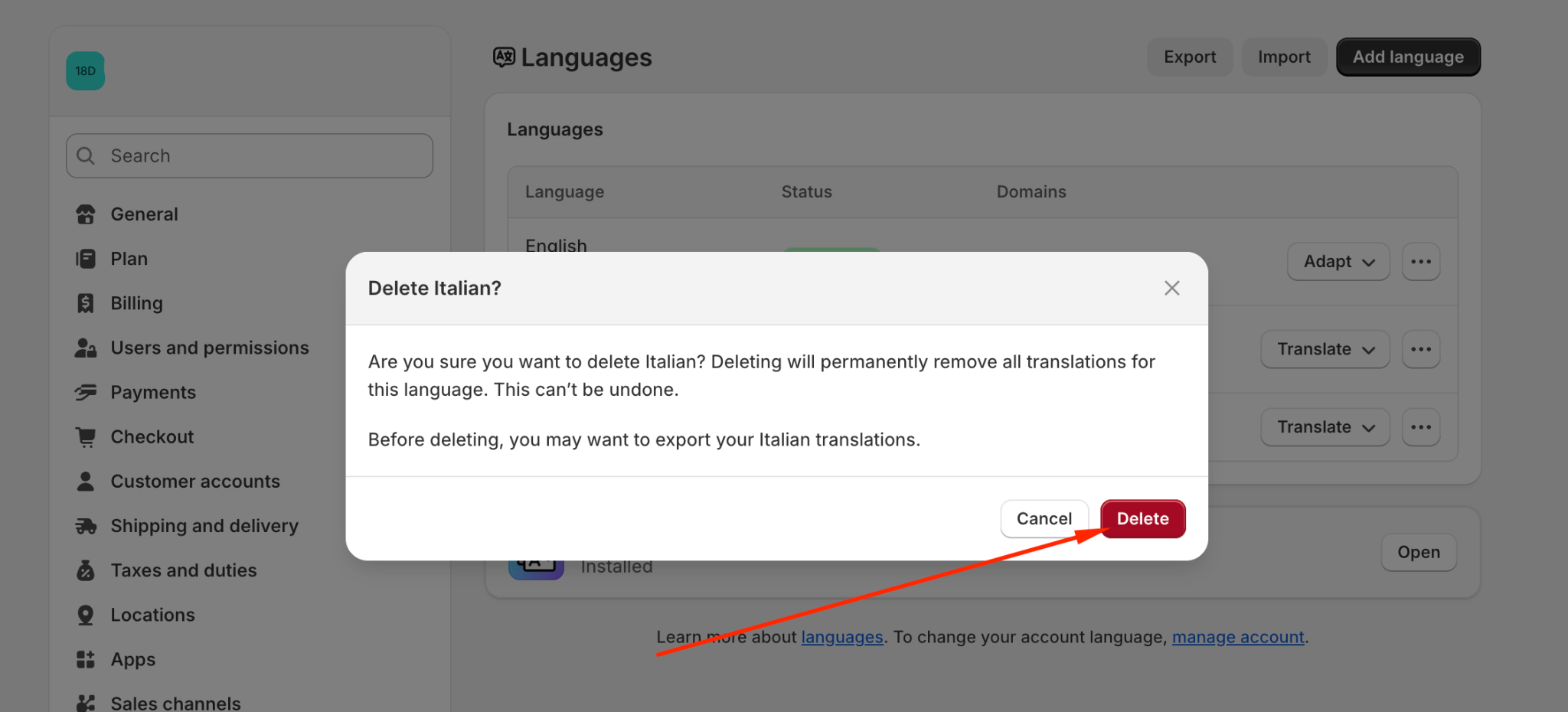
Confirm and select Delete:
(3) Open Transtore and add the target languages again
Important note:
Once translations are removed from Shopify Languages, they cannot be recovered unless you re-translate them again.
If you need further guidance or have any questions, don't hesitate to reach out to our support team via email at support@transtore.app or submit a ticket here. We'd be happy to hel
Was this article helpful?
That’s Great!
Thank you for your feedback
Sorry! We couldn't be helpful
Thank you for your feedback
Feedback sent
We appreciate your effort and will try to fix the article